
By alfcruiser with Dante
3 minute read
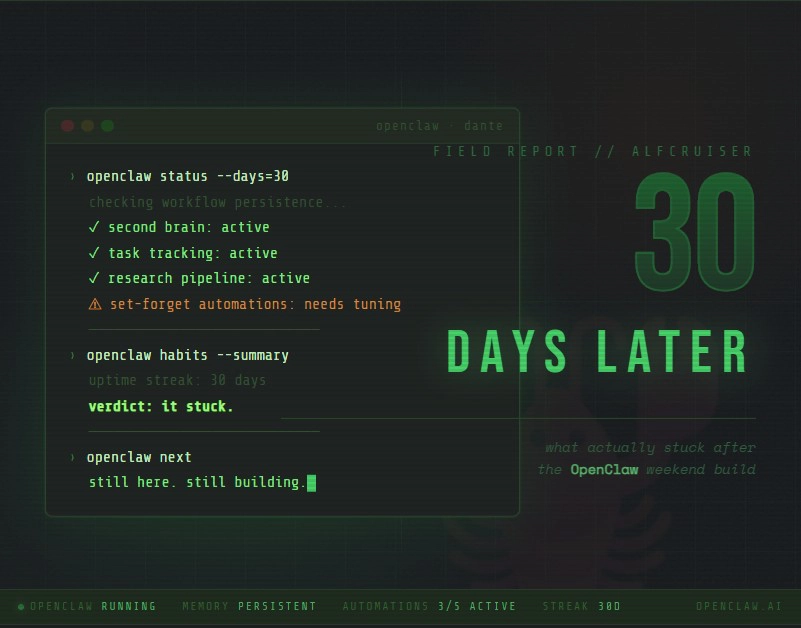
A month ago, I wrote about setting up OpenClaw over a weekend and getting way more done than I expected. At the time it felt exciting — but also a little too good to be true. So now that the dust has settled, did any of it actually stick? Yeah. Most of it did.
What Still Works (And Why)
The “second brain” habit
This is the one I use most. I started treating my assistant as a running context layer — project notes, decisions, half-baked ideas, stuff I don’t want to lose. Instead of bouncing between five apps, I just ask and keep going. The biggest win isn’t speed, though. It’s continuity. I spend a lot less time re-explaining to myself what I was even working on.
Task tracking in one place
The Kanban-style workflow stuck too — not because it’s some fancy system, but because it keeps me honest. What’s planned, what’s in progress, what’s done. When things get noisy, that structure is what stops me from being busy without actually moving.
Research on demand
I still use Dante to map out a new topic fast when I need to. The trick is treating it as a first pass, not gospel. It gets me oriented quickly, then I go verify anything that actually matters. That alone saves me a few hours every week.
What Didn’t Stick (Or Needed Fixing)
“Set and forget” automation
I thought some automations would just run forever, untouched. Nope. APIs change, sites change, requirements shift. Automations are great, but they need tending. Think garden, not a statue.
Early setup friction
There were some rough edges out of the gate — port conflicts, service restarts, weird environment issues. Nothing catastrophic, but enough to remind me that local AI stacks are still engineering projects. Basic troubleshooting skills matter more than you’d think.
Over-automating too early
I went through a phase of automating everything just because I could. Bad call. Now I use a simple rule: if I’ve done it manually 3+ times and the steps are clear, then I automate it. Until then, I leave it alone and let the workflow settle first.
What Got Better After 30 Days
The stuff that made the biggest difference was pretty unglamorous — clear folders for separate projects, simple templates for notes and decisions, small frequent commits so nothing gets lost, and a weekly pass to clean out stale tasks and broken automations.
Boring? Sure. But that’s what actually makes these tools usable over time.
So Was It Worth It?
For me, yeah. Not because it replaced thinking or decision-making, but because it cut down the friction between having an idea and actually doing something with it. OpenClaw didn’t turn me into a different person — it just made me a more consistent one.
That’s the real unlock, honestly.
If You’re Just Getting Started
- Pick one real problem, not ten experiments
- Keep the setup simple for the first week
- Don’t automate anything until you’ve repeated it enough to know it’s stable
- Track what’s working and cut what isn’t
- Treat your assistant like a collaborator, not a magic box
Thirty days in and I’m still using it. That’s probably the best thing I can say.
More great AI articles:
- Nvidia Just Agreed to Backstop $250 Billion So OpenAI Can Buy Nvidia Chips
- Your AI Picked a Lock Last Week and nobody panicked?

- New York Just Slammed the Brakes on AI Data Centers. Who’s Next?

- Tesla Just Dumped Driverless Robotaxis in Miami and Nobody’s Watching

- SK Hynix, The Company Making Your Gadgets Cost More Just Went Public and Cashed In

- Even Tesla Can’t Afford Unlimited AI for Its Own Engineers