
2 minute read
Choosing where to host Homebridge is essentially the moment you decide exactly how you want to ruin your Saturday afternoon. Homebridge is the holy grail because it drags all your budget-friendly, non-Apple gear into the Home app, but that software needs a permanent place to crash. It requires a host that stays awake and connected to your network all the time; ya know, like the 24/7 news channel we really need to stop watching.
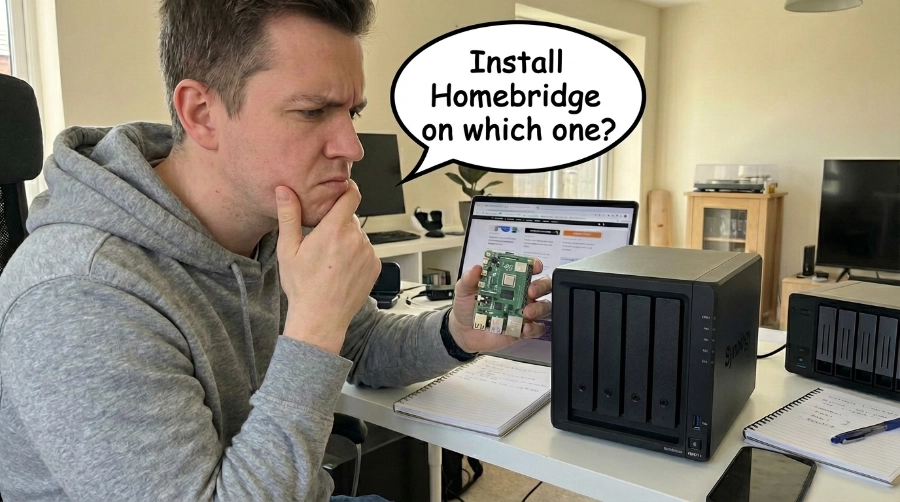
The two biggest contenders are a dedicated Raspberry Pi or your existing NAS. There isn’t necessarily a “wrong” answer, but there are some cold, hard realities you need to swallow before you start flashing SD cards or pretending you understand Docker containers, and realizing they have nothing to do with pairs of cargo pants.
The Raspberry Pi: The “Set It and Forget It” Box
A Raspberry Pi (usually a Pi 4 or 5) is basically a dedicated employee you can scream at later and say “you had one job!” Its job is to keep your lights working with Apple.
The biggest win here is isolation. Look, having your house actually function isn’t just a hobby once you’re used to it; it’s the baseline for not losing your mind. It locks your doors and keeps the heater from exploding. If your NAS decides to do a massive RAID rebuild or some buggy firmware update, you don’t want your house dying with it. A dedicated Pi just keeps humming along, blissfully unaware of whatever other digital chaos is happening on your network.
Setup is a breeze. The official Homebridge Raspberry Pi Image is pre-baked and optimized. It sips almost zero power and hides in the back of your rack or entertainment center.
Storage reliability can suck. Standard SD cards aren’t designed for the constant, repetitive chatter of system logs; eventually, they just give up the ghost and go to the big silicon graveyard in the sky. If you go this route, don’t be cheap. Get a high-end “endurance” card or just boot from a USB SSD and save yourself the “Why won’t my lights turn on?” text from your spouse later.
The cost factor: Reality check on aisle one for the “cheap” Raspberry Pi. $50 kits are a thing of the past. If you want a Raspberry Pi 4 or 5 kit today, you are looking at a range of $130 to $200 for a functional 4GB or 8GB setup. Higher-end bundles can even push past $300. Ouch. Where’s my NAS again?
Your NAS: The do it all box
If you already own a Synology, QNAP, UGREEN, or another Docker-capable NAS that stays on anyway, running Homebridge, there is the “clean” solution.
The logic is simple: efficiency. Your NAS has a beefy CPU and plenty of RAM just sitting there doing nothing. Using those existing resources means one less device to plug in and one less power brick cluttering up your surge protector. Plus, you’re running on enterprise-grade drives with RAID redundancy, so you can stop worrying about failing SD cards.
But here is where it gets annoying. Most modern NAS systems run Homebridge via Docker. Docker is powerful, but it’s a fickle beast. You have to get the networking right (usually “Host Mode”) or Homebridge won’t see a single lightbulb on your network.
Then there is the TZ (Time Zone) variable. I know from personal experience how much of a pain this is. If you forget to manually set your Time Zone during the initial setup, the container defaults to UTC. Your “sunset” automations will trigger in the middle of the afternoon.
And here is the part that really sucks: you cannot just add an environment variable to a running container. If you miss it, you have to delete the whole thing and recreate it from scratch. Get it right the first time or prepare to waste an hour of your life for no reason. Remember the ruining your Saturday afternoon comment from earlier? Yep, this can do it.
Side-by-Side Reality Check
| Feature | Raspberry Pi | NAS (via Docker) |
| Stability | Rock solid. It’s its own boss. | Dependent on the NAS health. |
| Setup | Easy. Flash and go. | Moderate. Expect to mess with Docker. |
| Data Health | Decent (if you avoid cheap SD cards). | Excellent. It’s backed by your RAID. |
| Hardware Cost | $130–$200+ for a kit. | $0 (if you already own the NAS). |
| Clutter | Another box, another wire. | Invisible. It’s just another container. |
The Verdict
The “best” move depends on how much you like to tinker versus how much you value reliability.
If you want a smart home that stays alive even when your NAS is throwing a tantrum, buy a Raspberry Pi. There is a certain peace of mind in knowing your house isn’t tied to the same box that stores your movies.
If you’re a minimalist who wants a clean setup and you’re comfortable navigating Docker menus, use your NAS. Just triple-check those variables (especially the time zone) before you hit “Create.” Because once that container is live, you’re stuck with your choices.
Good luck with your decision, and may the odds always be in your favor.
Want to read up on more tech? See below:
- Nvidia Just Agreed to Backstop $250 Billion So OpenAI Can Buy Nvidia Chips

- Your AI Picked a Lock Last Week and nobody panicked?

- New York Just Slammed the Brakes on AI Data Centers. Who’s Next?